Point of sale · Inventory management · Bookkeeping · African languages

Your whole business,
in your pocket.

Your whole business, one calm screen.

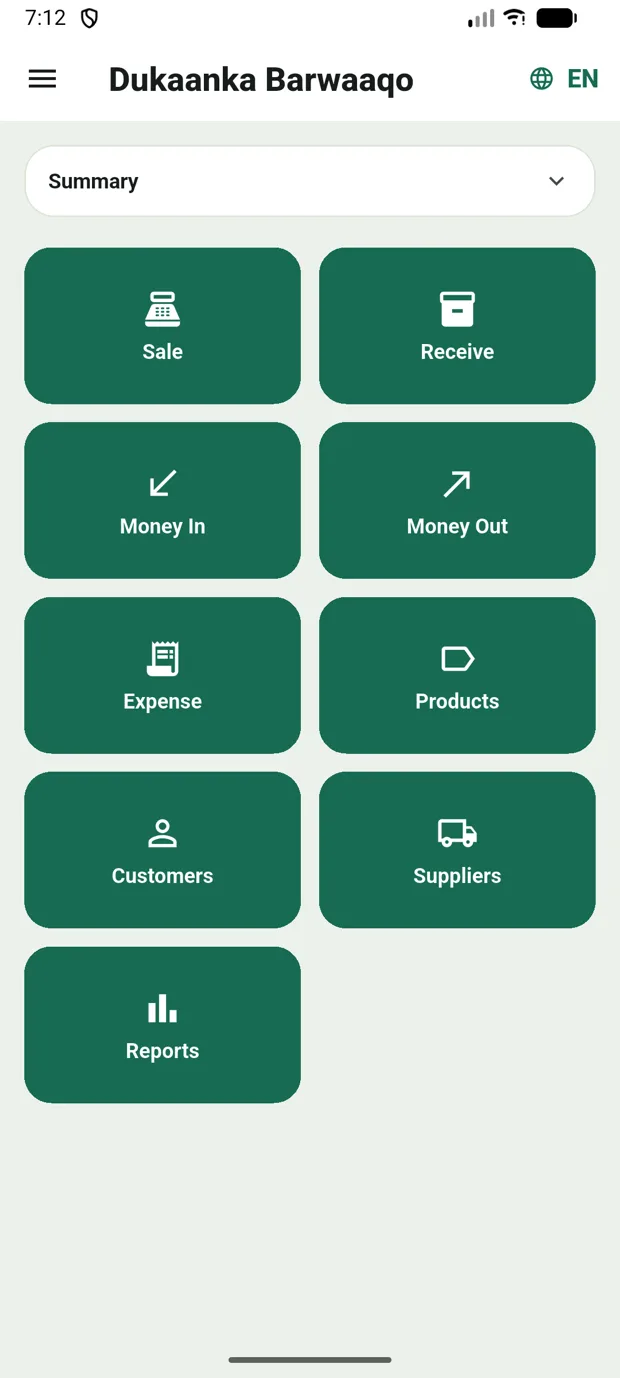
DiiwaanPro home screen in English — all nine one-tap buttons: Sale, Receive, Money In, Money Out, Expense, Products, Customers, Suppliers and Reports
English · Soomaali · Kiswahili Works offline, syncs itself Built with business owners Grows with you
What it does

Everything the counter needs. Nothing it doesn’t.

DiiwaanPro strips running a business down to the moves you make two hundred times a day — and makes each one fast, forgiving, and one‑handed.

Sale

A screen that learns how your business sells.

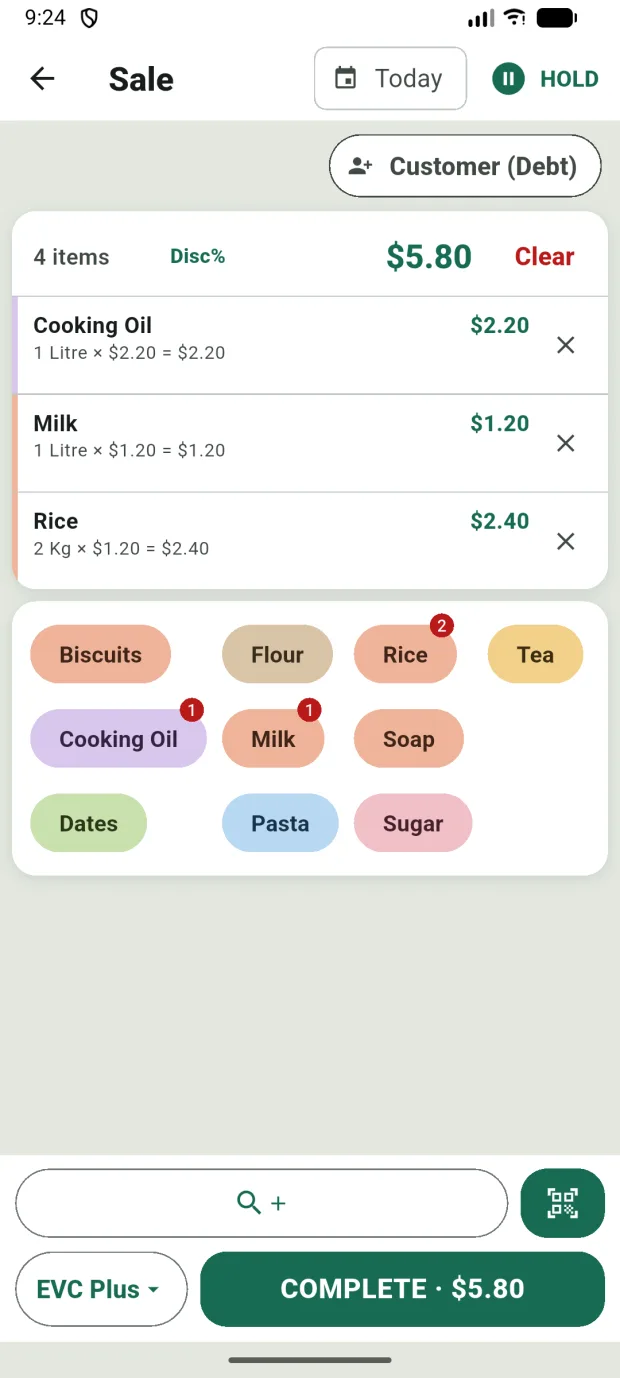
Your best sellers are already on screen when Sale opens — tap to add, long‑press for quantity and price in one go. The grid reorders itself around what you actually sell, and you can pin the products you want kept on top. Scan or search when you need the long tail.
  • Cash sale in seconds — three taps from home
  • Pin your staples; the rest ranks itself
  • Camera or Bluetooth barcode scanning, instant even offline
Sale screen with a four-item cart, product chips for quick adding, and a COMPLETE button showing the total
the real Sale screen · pinned, then your best sellers
Debt book

Every debt, both ways — and a statement on WhatsApp.

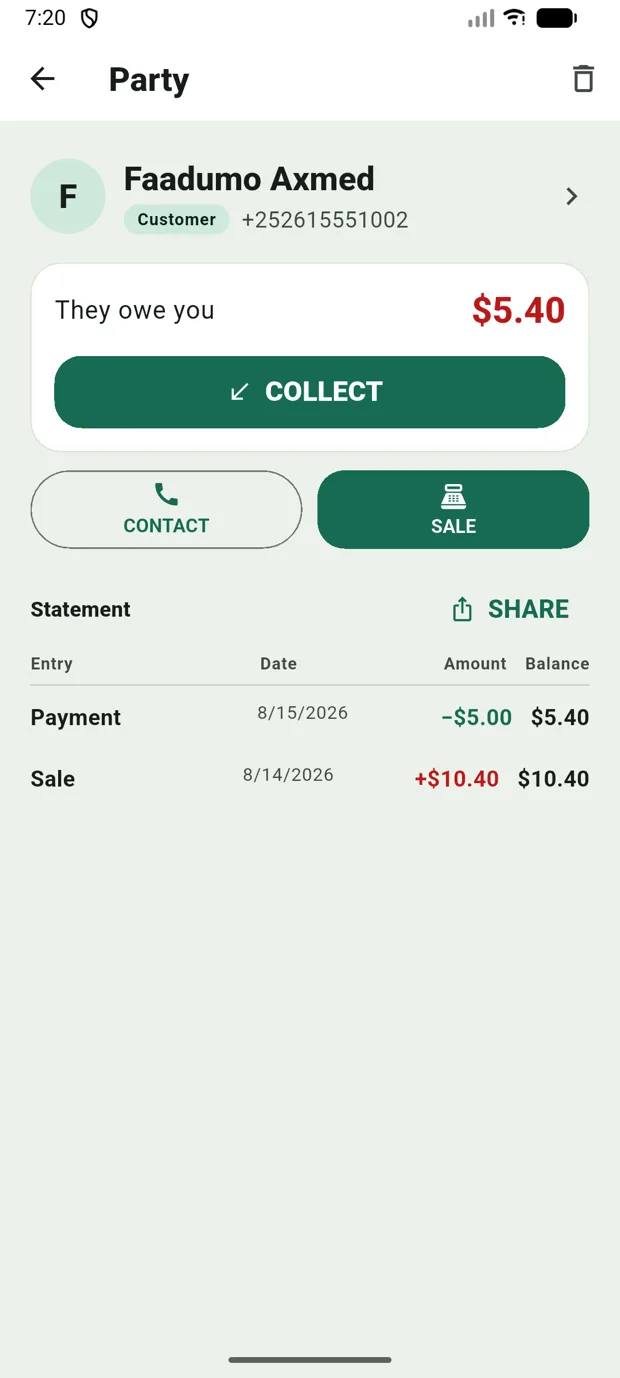
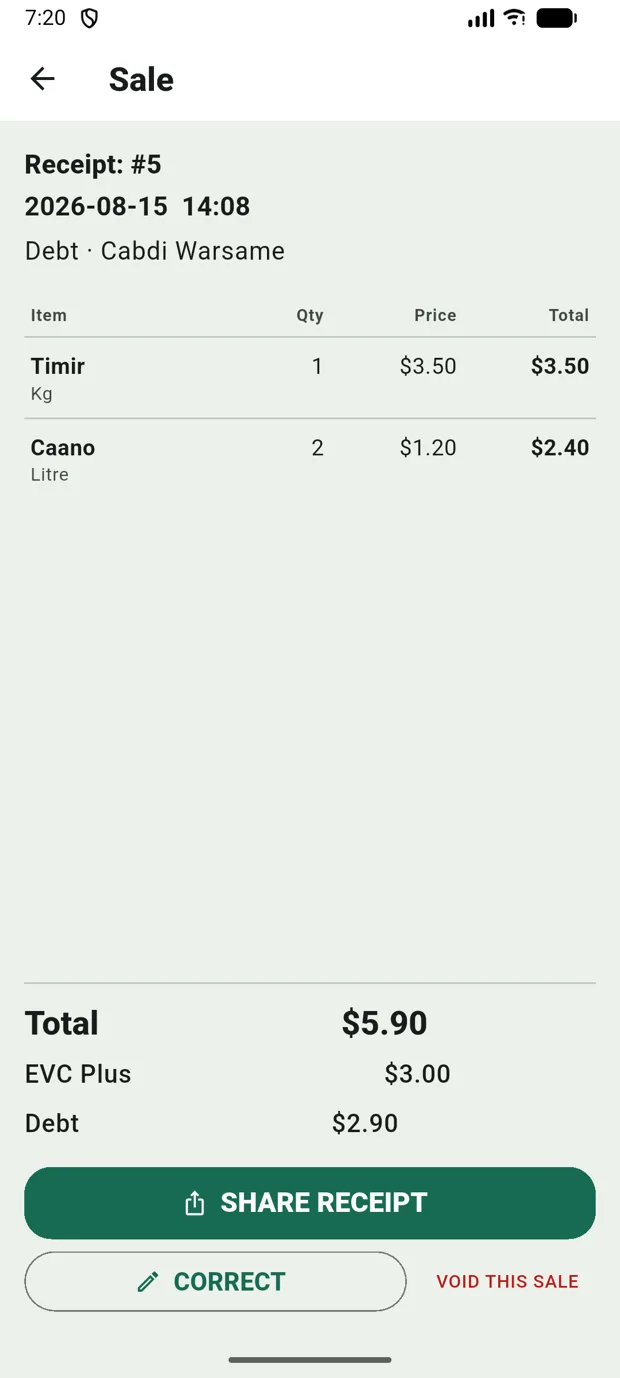
Credit sales land on the customer’s tab by themselves; payments settle the oldest debts first. You always know who owes what, and for how long — and when it’s time to collect, send a clean, dated statement straight to their WhatsApp instead of arguing from memory.
  • Aging at a glance — today, this week, older
  • Statements list every sale and payment — Somali, Swahili or English
  • Works for suppliers too — what you owe, both sides agreed
Customer statement — They owe you $5.40, a COLLECT button, and a running-balance table of every sale and payment
A numbered receipt for a credit sale — Receipt #5, the items, and the split: paid by EVC Plus, the rest on the customer's tab
Statement · Faadumo Axmed
3 sales · 1 payment · balance $5.40
✓✓
the statement page · and the numbered receipt behind every line
Receive

Snap the delivery note. The stock writes itself.

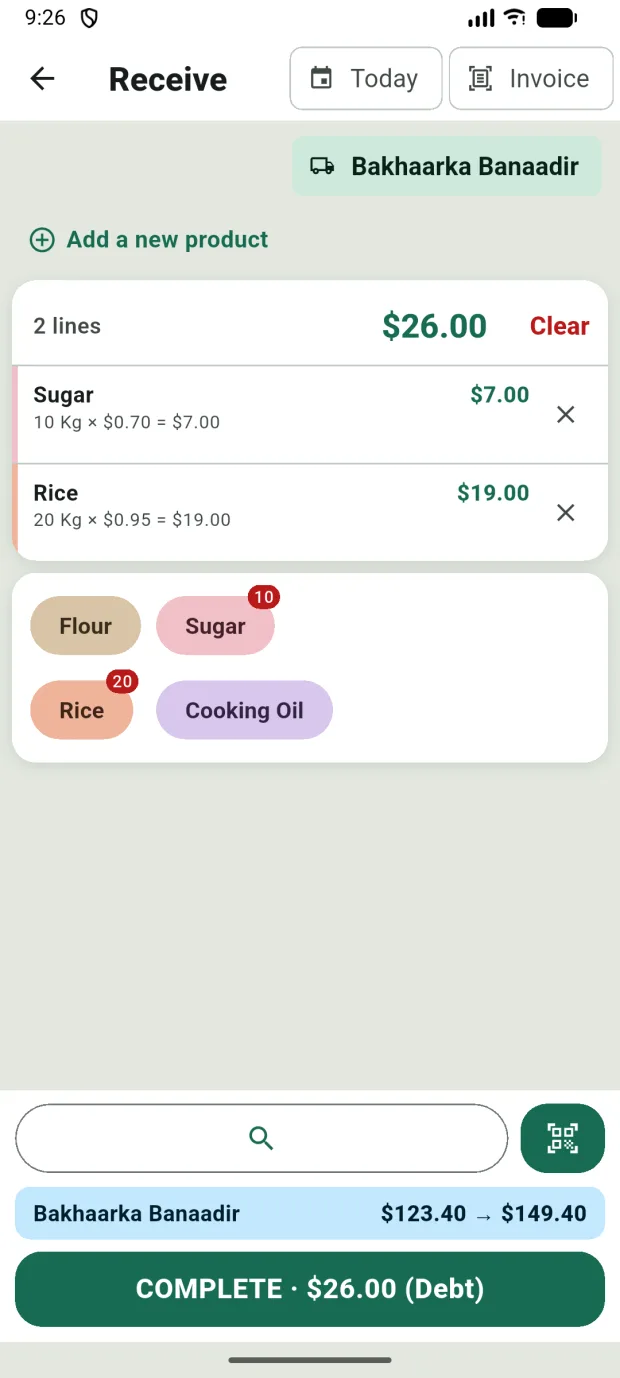
Photograph the supplier’s delivery note and DiiwaanPro reads the lines for you — products, quantities, prices — matched to your own catalogue. Glance, fix anything odd, save: stock and costs update in one motion, and the paper is archived with the receive.
  • A 10‑line delivery in about a minute
  • New products can be created right from the invoice
  • The photo stays attached — proof you can reopen any day
Receive screen — supplier selected, delivery lines with quantities and costs, and the new balance before saving
no retyping · the note becomes stock
Barcode scanning

Your phone is the scanner. Or bring a real one.

Point the camera at any barcode — the aiming frame flashes green, the item lands in the cart, keep scanning. Prefer a counter setup? Pair a Bluetooth or USB gun scanner and it just works — same sale, same speed, no settings screen. Barcodes resolve on the phone, so scanning is instant even with zero bars.

  • Camera scanning with a clear aiming frame — beep, green flash, added
  • Bluetooth & USB gun scanners work out of the box
  • Codes bind to the exact packaging they’re printed on — the 24-pack scans as the 24-pack
Works with no signal

Lost your connection?
Keep selling.

Power cut, dead zone, data run out — the business doesn’t stop. The till, your stock and every debt live right on the phone, so sales, receives and payments go through with zero bars. Each move is saved the instant you tap, then synced quietly the second you’re back online. The counter never waits on the network.

No internet Saved on the phone Synced when you’re back
Money accounts

Bookkeeping that does itself.

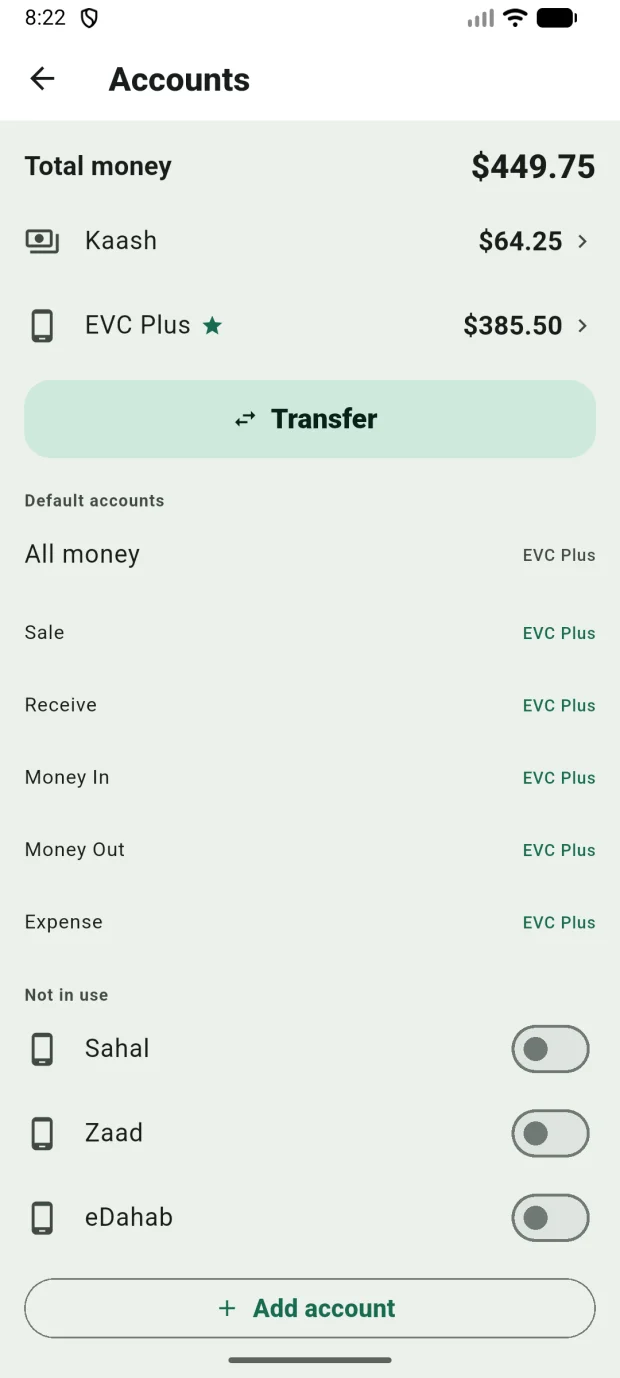
Cash drawer, EVC Plus, Zaad, eDahab, the bank — every sale, payment and expense lands in the right account as it happens, so “how much is in the till” is a glance, not a count. Move money between accounts and the books follow.
  • Mobile‑money first — built for how your business is actually paid
  • Transfers, deposits and withdrawals in two taps
  • Expenses tracked against the account they left
Accounts screen — total money across cash and EVC Plus, one-tap Transfer, and mobile-money accounts ready to switch on
cash and mobile money, one view
Reports

The day at a glance. The month when you want it.

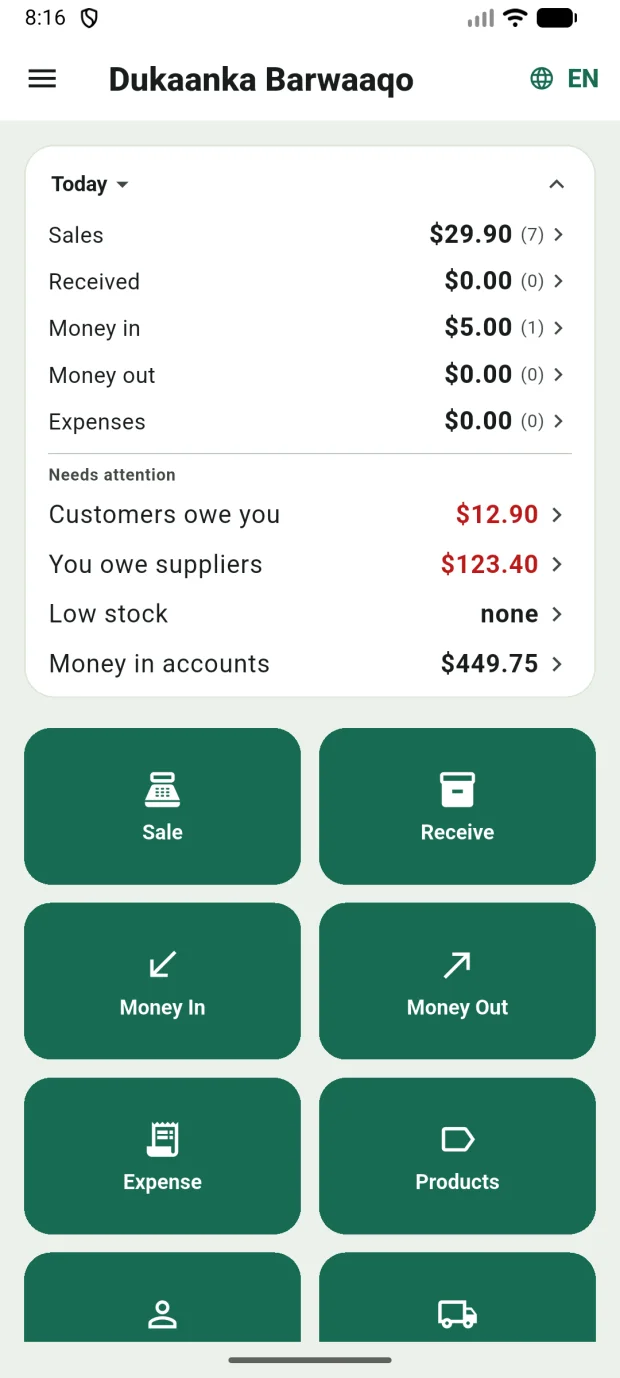
Home opens on a living snapshot — today’s sales, money in and out, who owes you, what’s running low. Behind it sit real reports: profit with true costs, top movers, slow stock, expenses — by day, week, month or any range you pick.

  • Profit uses the cost you actually paid, not a guess
  • Low‑stock warnings before the shelf goes empty
  • Every number taps through to the transactions behind it
Stores & warehouse

Storefront and store room, counted apart.

Keep the counter stock and the warehouse stock separate — sell from the front, receive into the back, and move goods between them with a recorded transfer, not a guess. Every sale and receive knows which store it touched.

  • Per‑store stock counts on every product
  • Transfers suggested when the front runs low
  • One business, many rooms — the numbers stay honest
Trust

Nothing edited in the dark.

Saved records are never quietly rewritten. A mistake is corrected in the open — the old record is cancelled, the fix is posted, and both stay on the books with who did it and when. Owners see every void, every price override, every correction.

  • Full audit trail — every action, every person, timestamped
  • Corrections keep history; totals always add up
  • Cashier and owner roles — each sees what they should
Your language

Af‑Soomaali, Kiswahili & English.

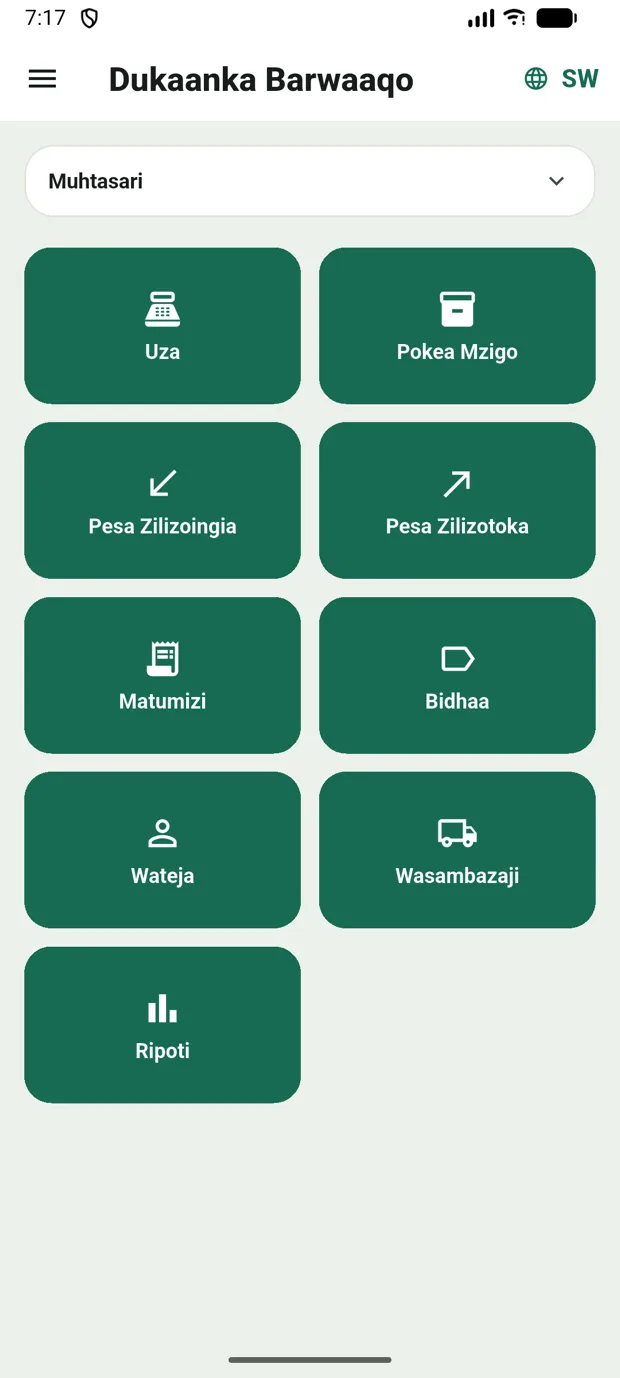
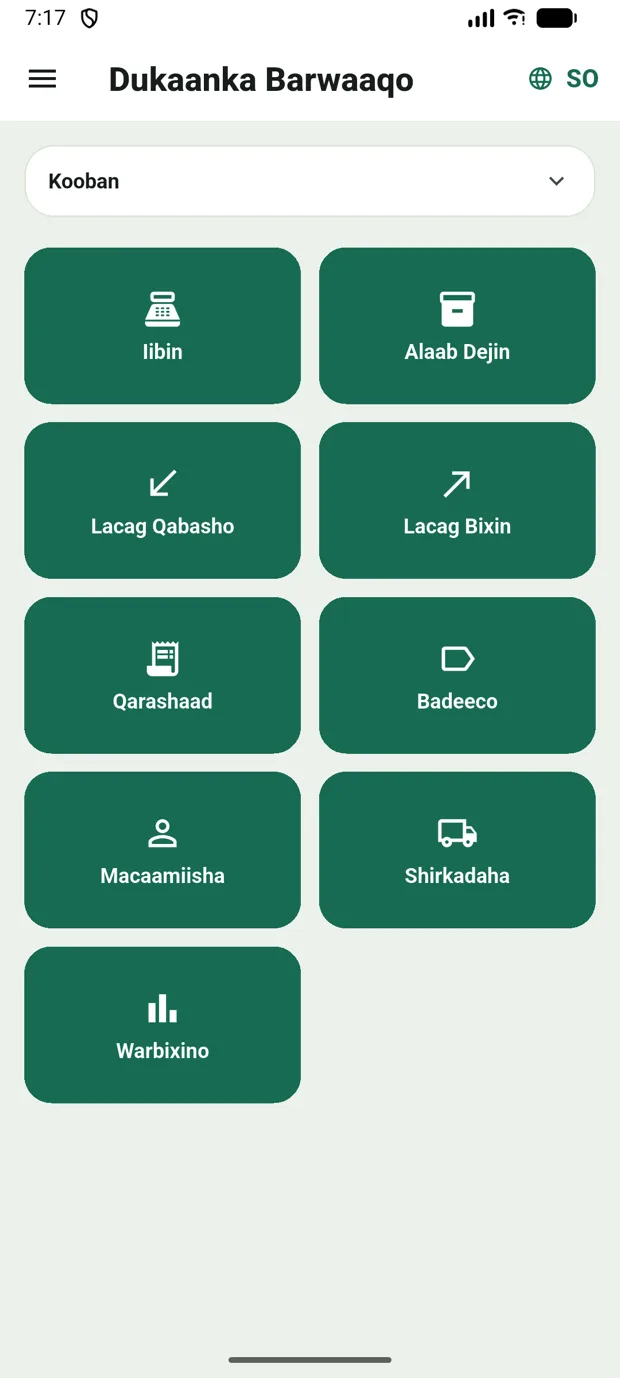
Fully multilingual — not a translated afterthought. Switch languages with one tap on the globe; every screen, every warning, every statement follows.

Team

Cashiers sell. Owners see.

Add your people with a phone number. Cashiers get the counter; margins, balances and corrections stay with the owner. Every action signed by who did it.

Packagings

Buy the sack. Sell the kilo.

Receive a 25‑kg sack, sell by the kg, cup or piece — stock converts itself. Barcodes bind to the exact packaging they’re printed on.

Sign‑in

One simple sign‑in.

Your email and a password you choose — that’s it. Forgot it? A code arrives in your email and you set a new one right in the app.

Built for the counter

Fast where it matters.

DiiwaanPro is tuned to the rhythm of a busy counter — the moves you make hundreds of times a day stay quick, one‑handed, and out of your way.

Sell in seconds
three taps from home — cash or credit
Receive in a minute
snap the delivery note, glance, save
Opens ready to sell
straight to the counter, no waiting
No paperwork
zero forms in the daily flow
A day with DiiwaanPro

Open the shutter. Run the business. Close up knowing your numbers.

01 — Morning

Stock up

The supplier drops a delivery. Snap the delivery note, glance at the lines, save. Stock and costs update themselves.

02 — Midday

Sell fast

Your best sellers are already on screen — tap, scan, or search; cash or on the tab. The queue moves; nothing is written twice.

03 — Evening

Close up sure

One glance: today’s takings, every account, who owes what. Send whoever’s owing a WhatsApp statement before you pull the shutter.

“It’s the ledger, the calculator and the storeroom — done before the customer counts their change.

Get the app

Bring DiiwaanPro to your business.

Free on Android today — set up your business and make the first sale in minutes. iPhone is on the way. Questions? We answer.